Housecall Pro pricing in 2026, and the seat maths that decides it

The short version
- If you are on your own
- QuoteIQ — Housecall Pro is the wrong shape solo — $79/mo for one seat. Essentials at $29.99 does the same core job.
- If you have two to four people
- Jobber — Core plus seats at $29 each stays cheaper than Housecall Pro until you hit about four users.
- If you have five or more
- Housecall Pro — Essentials includes five seats at $189/mo. Nothing else in this category matches that.
Housecall Pro has the worst entry price of the major field service tools and the best seat deal. Which of those two facts matters depends entirely on how many people are on your schedule, and the pricing page does not do that arithmetic for you.
Every Housecall Pro plan, current pricing
| Plan | Monthly | Paid annually | Users | Extra user | What it adds |
|---|---|---|---|---|---|
| Basic | $79/mo | $59/mo | 1 | — | Scheduling, dispatch, invoices, payments, quotes, review management |
| Essentials | $189/mo | $149/mo | 5 | $100/mo | Adds routes, flat-rate pricing, photo reports, employee GPS, QuickBooks Online |
| Max | $329/mo | $299/mo | 8 | $75/mo | Adds sales proposals, recurring service plans, route optimisation, open API |
No screenshot: the Housecall Pro pricing page puts its plans behind an industry selector and serves an anti-bot challenge to automated browsers. These figures were read from the page directly on 31 August 2026; capture one by hand before leaning on them commercially.
Payment processing: card as low as 2.59%, bank payments 1%.
Basic at $79/mo for one user is a hard sell. Jobber Core is $49 for the same single seat with a comparable feature set, and QuoteIQ’s Essentials is $29.99. If you are solo, this is not the tool the numbers point at.
Essentials is where it becomes interesting. $189/mo includes five users. No other tool here bundles five seats below $499.
Where it beats Jobber, and where it does not
The crossover is around four people. Monthly billing, no add-ons:
| Crew size | Housecall Pro | Jobber (Core / Grow) |
|---|---|---|
| 1 | $79 (Basic) | $49 / $199 |
| 3 | $189 (Essentials) | $107 / $257 |
| 5 | $189 (Essentials) | $165 / $315 |
| 8 | $329 (Max) | $252 / $402 |
Read that table honestly and it says two things. Against Jobber Core, Housecall Pro loses at every crew size — Core with eight seats is $252 against $329. Against Jobber Grow, which is the fair comparison because that is the tier with job costing and two-way SMS, Housecall Pro wins from about four people up.
So the real question is not “which is cheaper” but “which tier do you actually need”. If you need automation and job costing, compare Essentials to Grow and Housecall Pro looks good with a crew. If you genuinely only need quotes, scheduling and invoices, Jobber Core undercuts everything.
What the extra seats cost
$100/mo per user beyond five on Essentials. $75/mo beyond eight on Max.
Those are the highest per-seat charges in this category by a distance — Jobber is $29. Bundling five seats is generous; the sixth is punitive. A six-person crew on Essentials is $289, at which point Max at $329 for eight seats is the better buy even if you do not want the Max features. Watch for that step; it is easy to sit on the wrong plan for a year.
The add-on problem
Housecall Pro does not publish pricing for its add-ons. The sales proposal tool, Pipeline, payroll, accounting, voice, campaigns, GPS and dashcams all exist and all cost money, and the only way to find out how much is to talk to sales.
That is a real mark against it, and worth saying plainly. Jobber publishes Marketing Suite at $99, Pipeline at $49 and AI Receptionist at $29. You can build a total from Jobber’s website. You cannot build one from Housecall Pro’s.
Before signing anything annual, get every add-on you are likely to want quoted in writing and add it to the plan price. The number you compare should be the whole number.
What Housecall Pro does better than the alternatives
Dispatch and routing are stronger than Jobber’s at the equivalent tier. If you are running four or more people against a full day of appointments, that is not a minor feature — it is the difference between a tech doing five jobs and six.
Recurring service plans on Max are genuinely good. If you sell maintenance contracts — pool service, monthly lawn, quarterly pest — the plan management is better built than most of the category, and it is the sort of thing that keeps revenue steady through a slow season.
Card processing at “as low as” 2.59% also undercuts Jobber’s 2.9% + 30¢. On $20,000 a month of card volume that is roughly $60 in the difference. Not decisive, but it is real money going the right way.
| Tool | Starts at | Users included | Best for | Verdict |
|---|---|---|---|---|
| Housecall Pro | $79/mo | 1 | Crews of five to eight | Five seats included, punitive sixth seat |
| Jobber | $49/mo | 1 | Solo and small crews | Cheapest real start, $29 per seat after |
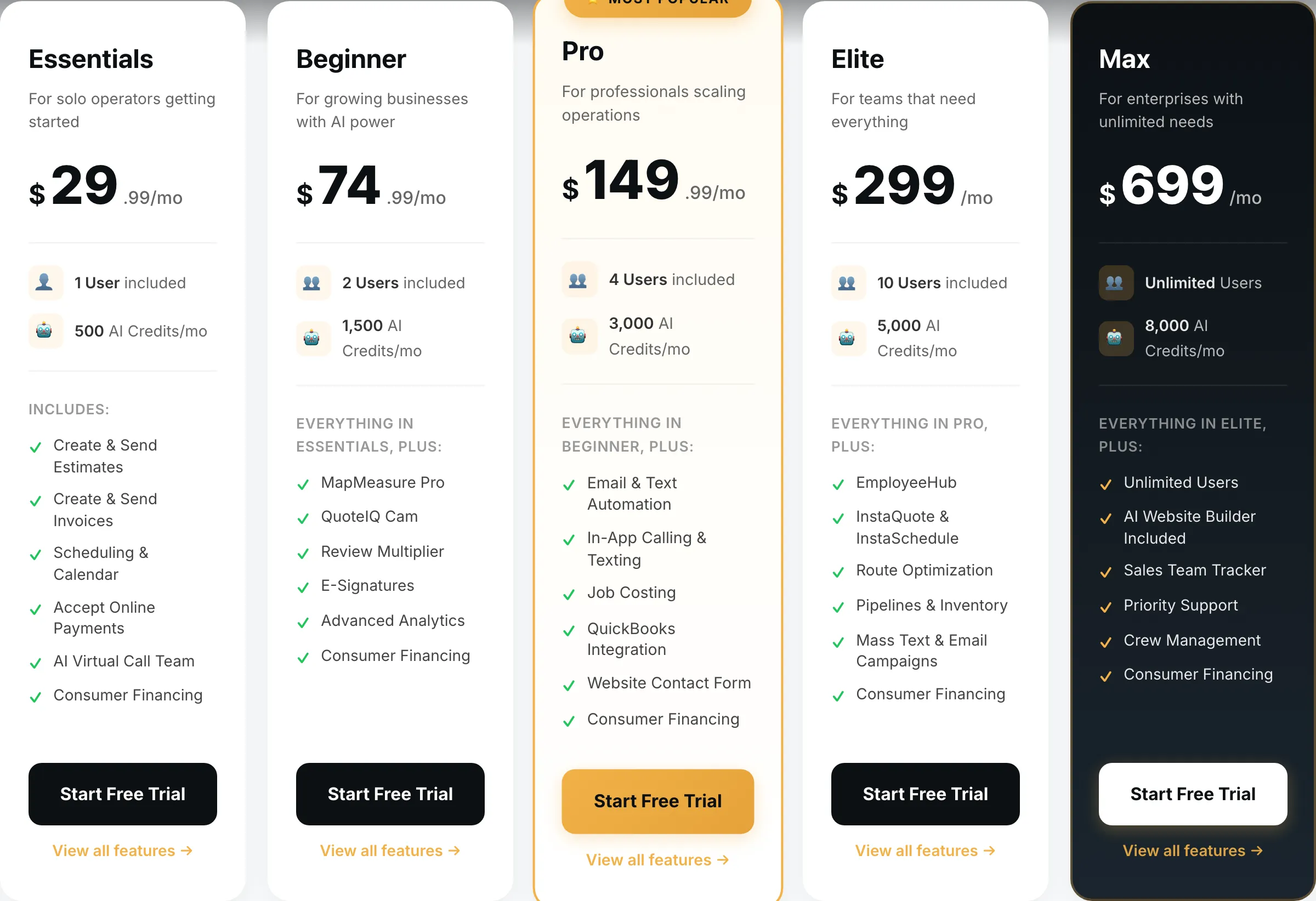
| QuoteIQ | $29.99/mo | 1 | One to four exterior crews | Cheapest entry, four seats at $149.99 |
| ServiceTitan | Quote only | Unlimited | Ten trucks and up | Quote-only, annual contract |
Who should pay it
Pay it if you are five to eight people and you sell recurring work. Essentials at $189 for five seats with routing and photo reports is a fair price, and Max is the right upgrade if maintenance plans are a real part of the revenue.
Do not pay it if you are on your own. $79/mo buys less than QuoteIQ at $29.99 or Jobber Core at $49. There is no version of the solo maths where Basic is the right answer.
Do not pay it if you are two or three people and price-sensitive. You are paying the five-seat bundle while using three of them. QuoteIQ’s Pro plan is four users for $149.99, which is $39 less than Essentials and includes job costing.
And if you are past ten trucks, ServiceTitan is where operations at that size end up — with the usual caveats about demos, annual contracts and implementation fees.
Switching to or from Housecall Pro
Clients, properties and invoice history export to CSV, and every competitor imports it. Price books and flat-rate pricing do not — rebuild those by hand, and budget an evening for it if you run a detailed price book.
The recurring service plans are the thing to be careful with. If you have maintenance contracts live in Housecall Pro, those schedules do not move cleanly and rebuilding them mid-season is how you miss a customer’s appointment. Move in your slow month, run the new tool’s 14-day trial in parallel with your live account, and only cancel once you have watched a full billing cycle run through the new system.
Questions operators actually ask
How much does Housecall Pro cost per month?
Basic is $79/mo for one user, Essentials is $189/mo for five users and Max is $329/mo for eight. Paying annually drops those to $59, $149 and $299 respectively. Extra users are $100/mo on Essentials and $75/mo on Max.
Does Housecall Pro have a free plan?
No. There is a 14-day free trial with no card required. After that the cheapest plan is Basic at $79/mo, which is the most expensive single-user entry price of the major field service tools.
How much are extra users on Housecall Pro?
$100/mo per user on Essentials and $75/mo per user on Max. Those are the highest per-seat charges in this category — Jobber charges $29. The trade-off is that Essentials includes five seats before you pay anything extra.
Is Housecall Pro cheaper than Jobber?
It depends entirely on headcount. Solo, Jobber is far cheaper: $49/mo against $79. At five people, Housecall Pro Essentials is $189 flat while Jobber Grow with five seats is $315. The crossover sits at about four users.
What do the Housecall Pro add-ons cost?
Housecall Pro does not publish add-on pricing for things like the sales proposal tool, payroll or voice. You get those numbers on a sales call. Budget for them being real money and ask before you commit to an annual plan.